

to turn on PiP mode can be found in Settings > General menu in YouTube's Android app, but it only works on devices running Android 8.0 Oreo or later.
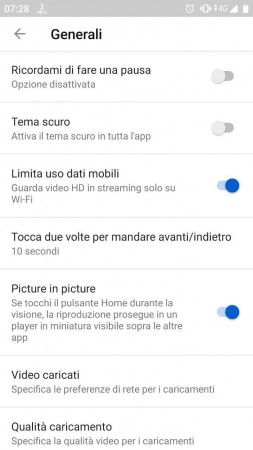
With PiP mode enabled, you can watch videos in the background and switch to other apps. You can stream a YouTube video in PiP mode by pressing the Home button or executing the Home gesture after it starts playing.
0 comments:
Post a Comment